
Access & Welcome Emails
Your Team lead or account administrator will be able to give you access to Guided Home. Once you have received your activation email and set your password you can login following the instructions below.
- Please save noreply@guidedhome.co to your email contacts and safe senders list so you receive all of our emails and system notifications
- In your web browser save the web app url: https://app.guidedhome.co
- Each user is linked to security groups which will dictate permissions and accessibility.
- Activation link expired / not received an activation email - please follow the instructions below to use the reset password functionality to activate
- The facility to reset your Password is available at https://app.guidedhome.co – click the "Sign-in" button then ‘Don’t remember your password?’ Follow the instructions emailed to you to activate and set your password
NB: Once you grant access to Homeowners they also follow the same instructions to login using their own email and user defined password.
Login to Guided Home
- Go to https://app.guidedhome.co. Save this to your favourites.
- If you have setup a custom subdomain you can visit the URL https://subdomain.guidedhome.co
- Click on the Sign-in Button:
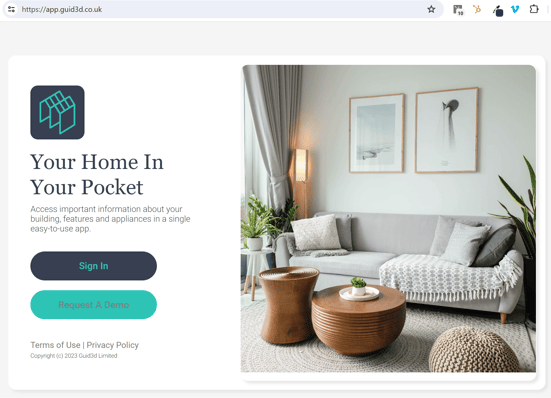
3.Enter your work email address and the password you set:
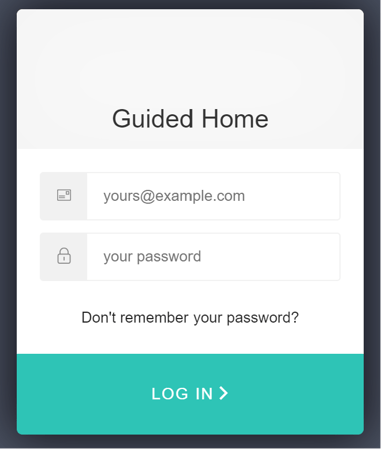
4. You're in! You can now navigate and explore your developments, manage customer journeys and share information with your customers.